OpenMetrics
CPU, memory, network and Claude and Codex quotas in a native panel in the Mac menu bar, with no external dependencies.
The context
System metrics and AI quotas, scattered across places.
Anyone who works all day with Claude Code and Codex has two limits to keep an eye on besides CPU, memory and battery: the session quota and the weekly one. That information is scattered across Activity Monitor, web pages and the terminal, and no tool shows it all together while you work.
The challenge
A native, lightweight, local utility.
I wanted a utility that behaves like a native macOS app: in the menu bar, lightweight, refreshed every second, with no external dependencies and no data sent to third-party services. The token history had to be rebuilt from the logs the two tools already write to disk, even when they exceed a hundred megabytes.
The solution
Swift, system APIs and the logs already on disk.
I wrote OpenMetrics in Swift with SwiftUI, IOKit and the system APIs, with no third-party libraries. System metrics come from the native macOS APIs; Claude and Codex quotas are read from the same services the two clients use, with the credentials already stored on the Mac; the history indexes the JSONL logs locally, re-reads only the new lines and estimates cost at API rates to compare periods.
The outcome
One panel, a history and open code.
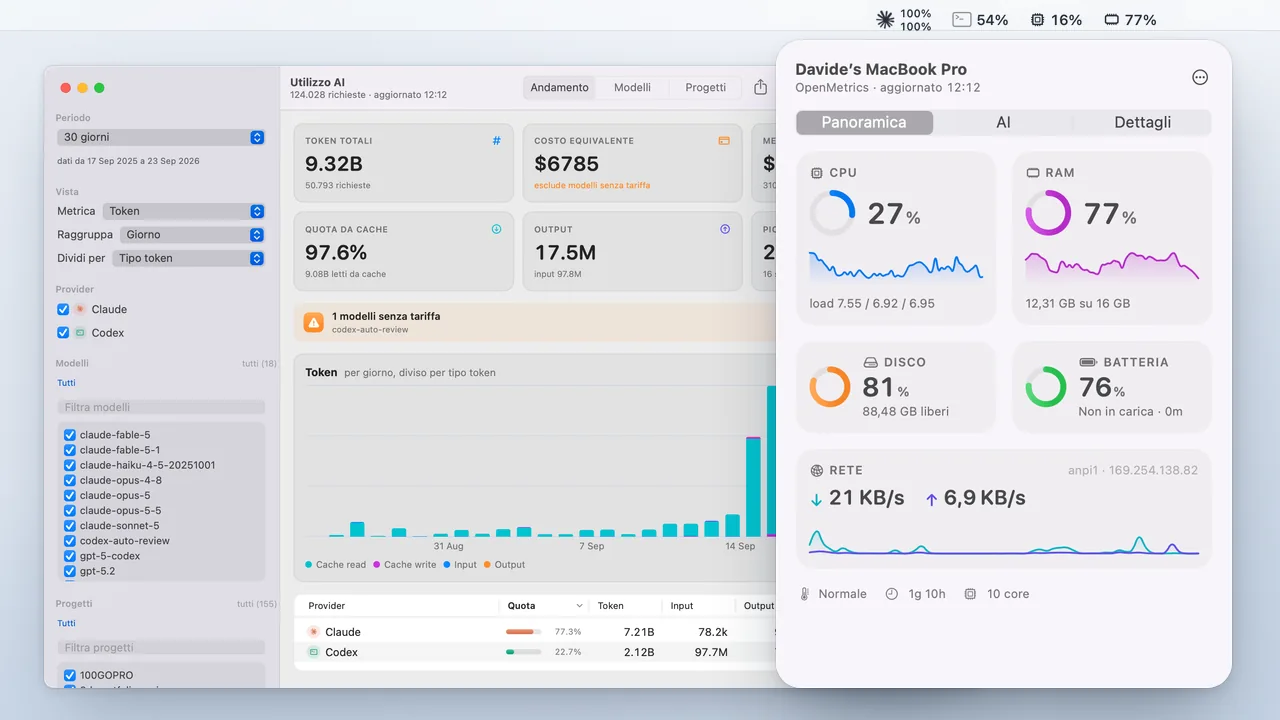
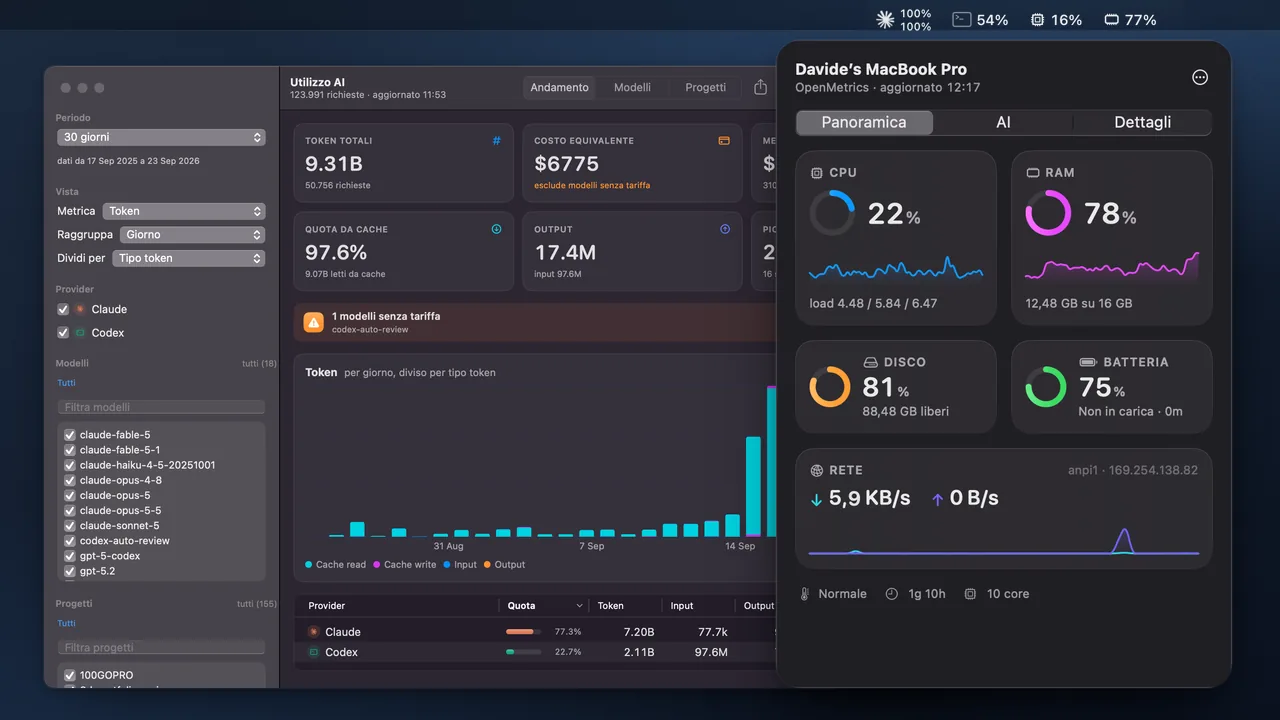
The code is public on GitHub under the MIT license, with tests for formatters, aggregations and the cache and a pipeline ready to sign and notarize the release. In the menu bar, each item is a glyph with a fixed-width value; the panel brings together rings, sparklines and details; the AI Usage window filters tokens and costs by period, provider, model and project and exports to CSV.
Inside the project
A closer look at the project.
 Enlarge the screen
 Tokens and costs, rebuilt from the logs
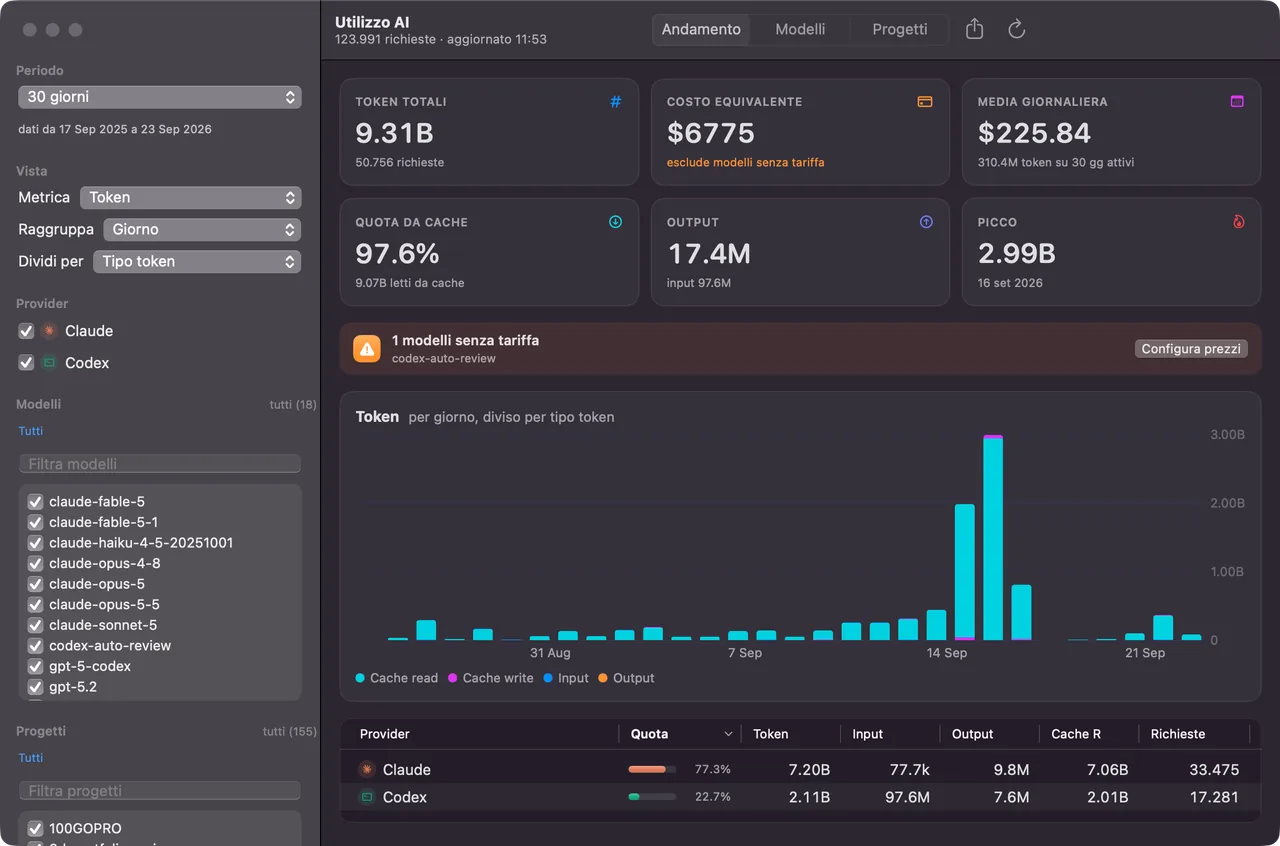
The AI Usage window reads the Claude Code and Codex logs locally: period, provider, model and project filter the chart by token type and the per-provider table. The cost is an estimate at API rates, useful for comparing periods.
 Enlarge the screen
 The panel, at a glance
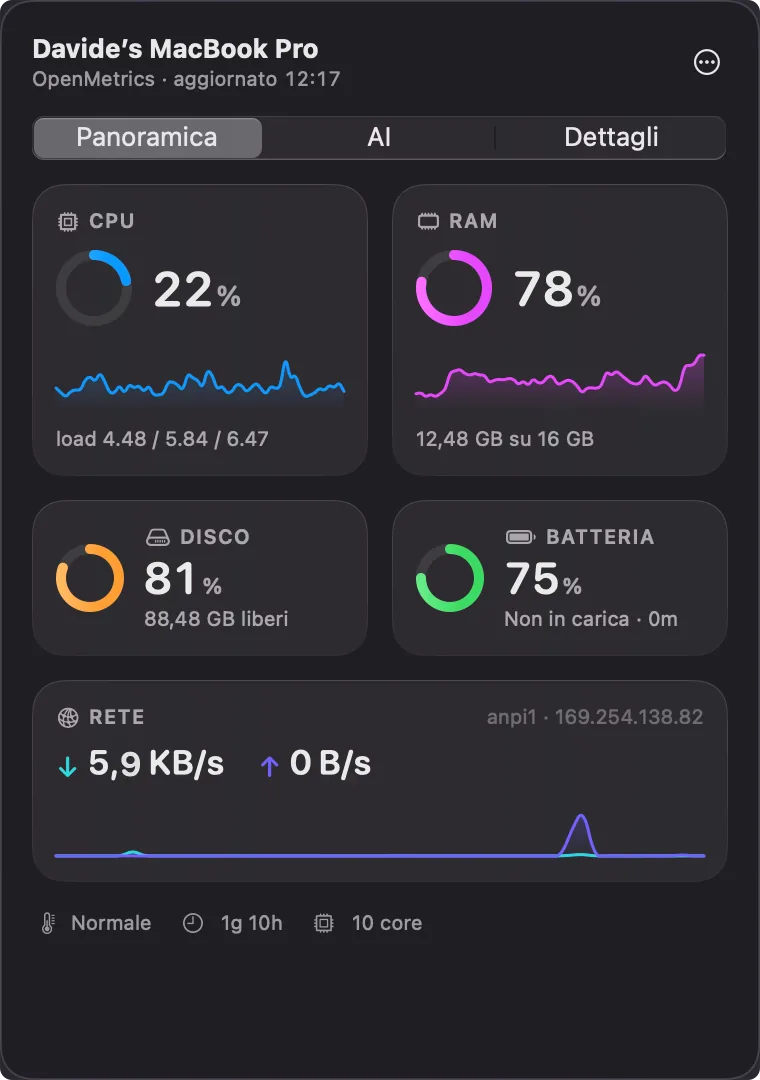
Rings and large numbers for CPU, RAM, disk and battery, sparklines of the last 60 samples and network traffic with the active interface. Each metric has its own tint, which turns orange and red above threshold.
 Enlarge the screen
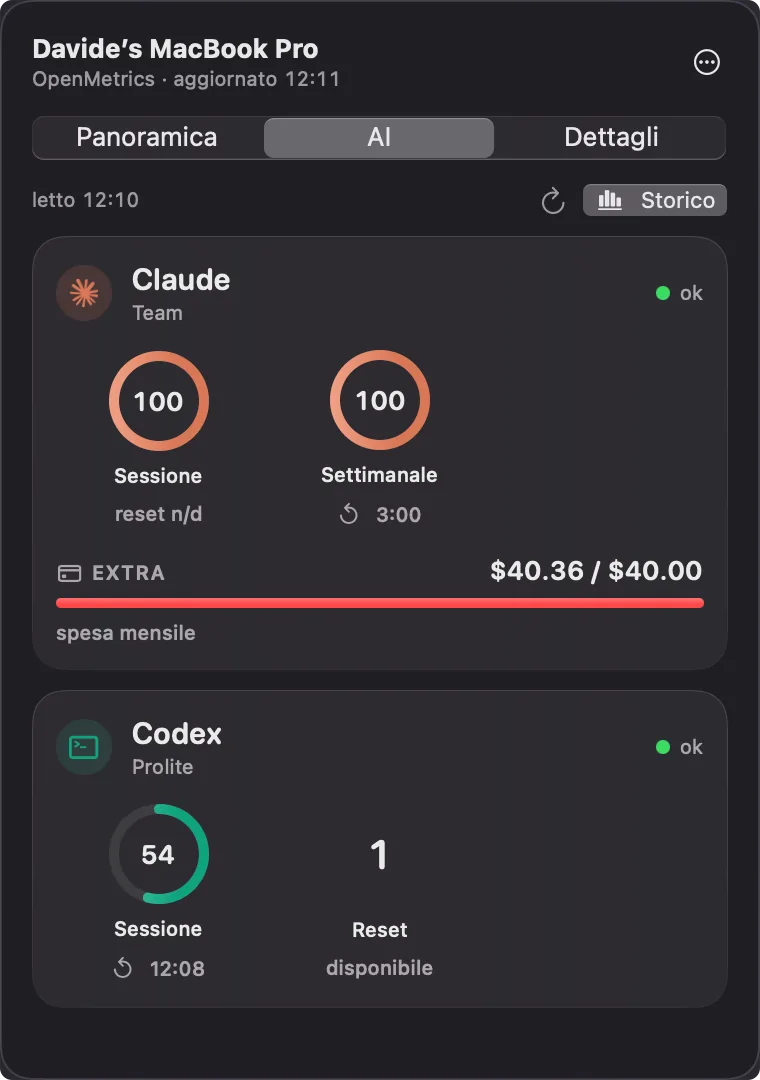
 How much Claude and Codex is left
One ring per limit, session and weekly, with reset time, detected plan and credential status. The Extra bar shows this month’s spend outside the subscription. Readings use the sessions already present on the Mac.
 Enlarge the screen
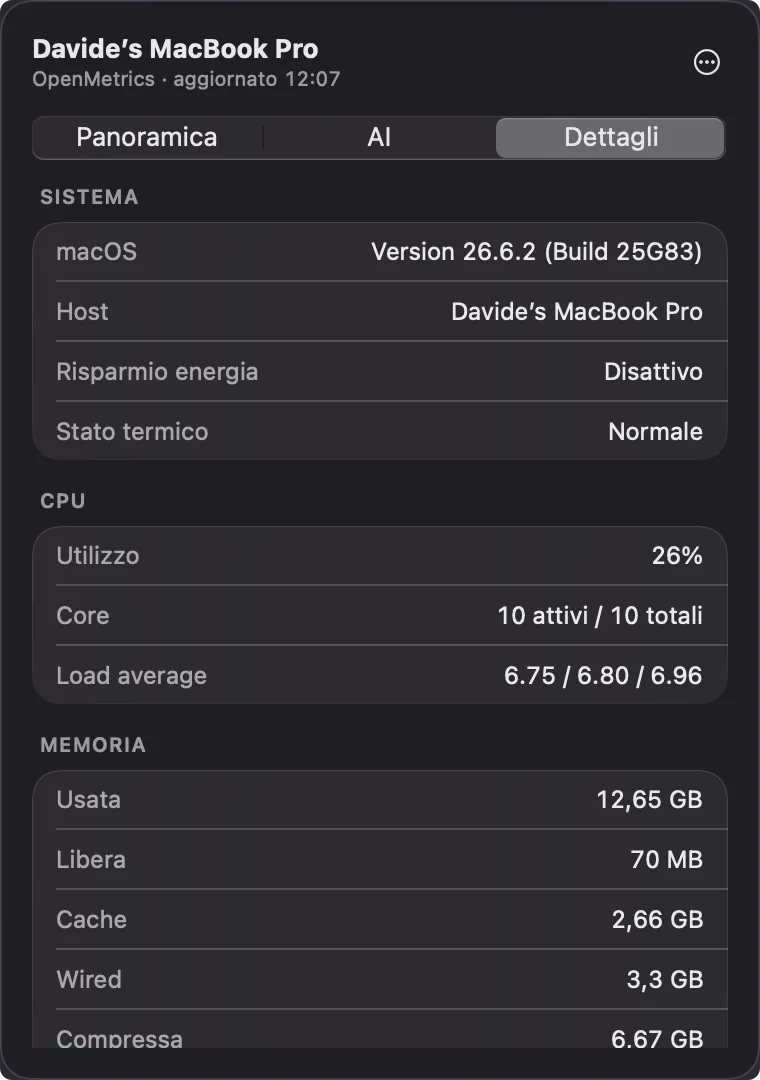
 All the numbers, when you need them
macOS version, host, thermal state, active cores, load average and memory split into used, free, cache, wired and compressed: the Details tab lists what the panel summarizes.
 Enlarge the screen
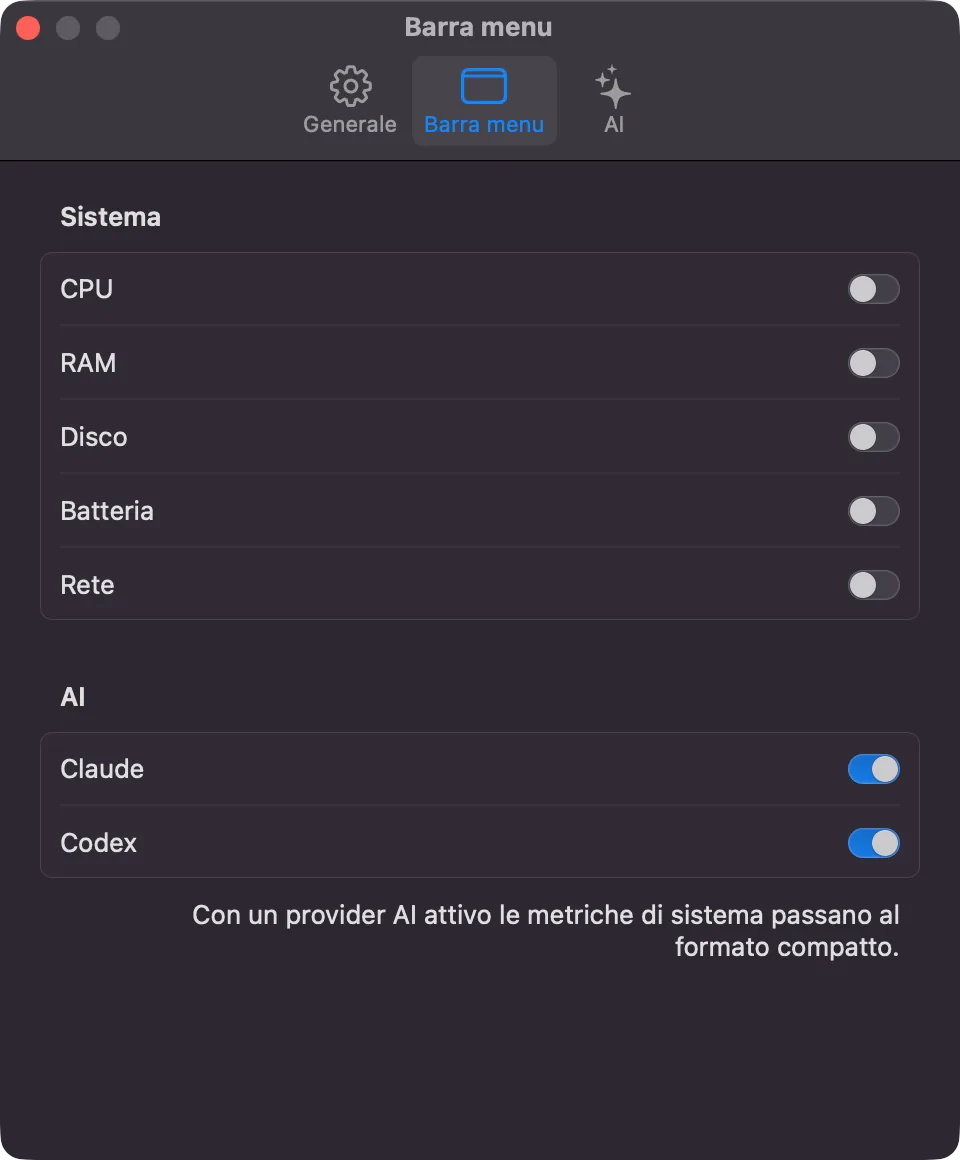
 Only what you need in the bar
Each system metric and each AI provider can be switched on individually from the native Settings window. With a provider active, system metrics switch to the compact format.
 Enlarge the screen
 A glyph and a value, at a fixed width
Claude, Codex, CPU and RAM in the macOS menu bar. Each item always takes the same space: the numbers change, the icons next to them stay put.